


A credit note records the transaction and corrects its effects in the books and in stock when all or part of a purchased good or service is returned, when an incorrect amount or line needs adjusting, or when contract terms are not met. A return is usually by the buyer issued by the buyer; where an individual consumer has no tax obligation, the seller corrects it through a “sales return” process.
How returns work with e-invoicing
The process follows the standard invoice flow. The difference is that the document is marked “Invoice type: RETURN” and refers to the date and number of the original invoice . On a commercial invoice the accept/reject mechanism can be used, whereas on a basic invoice discrepancies are corrected with a separate credit note.
VAT, withholding and document rules
- KDV: It is applied in line with the rate and tax base of the original transaction.
- Tevkifat: If the original sale was subject to withholding, the same rate and codes apply.
- Document flow: For physical goods returns iade irsaliyesi a return dispatch note is issued.
- Zamanlama: Complying with statutory deadlines and content rules reduces penalty risk.
Accounting and stock impact: the reversing entry
A return corrects revenue or expense, VAT and stock lines through a reversing entry: sales revenue and output VAT are reduced and the returned goods come back into stock.

Why credit notes are easy with Kivi
Kivi runs its compliant e-document infrastructure together with stok ve cari . See the incoming invoice on one screen, match it to the right customer, product and quantity, and have the RETURN-type invoice prepared automatically. Thanks to the e-commerce and bank integrations, the payments and stock movements a return triggers are handled in a single flow.
Issuing a credit note in Kivi, step by step
1) Return an incoming invoice (one click): Select the invoice on the customer transactions or incoming e-invoices screen, and “Return” creates a draft automatically with the same product, quantity, price, VAT and withholding details. Partial return you can delete the lines you are not returning from the draft; Kivi adds the original invoice number automatically. The accounting entry and stock movement update at the same time.
2) Create a credit note yourself: From the sales screen or the new e-invoice section, choose the “credit note” type, enter the customer, products and amounts, and add the original invoice number and date. Ideal where the other party hasn’t sent an e-invoice or a manual correction is needed.
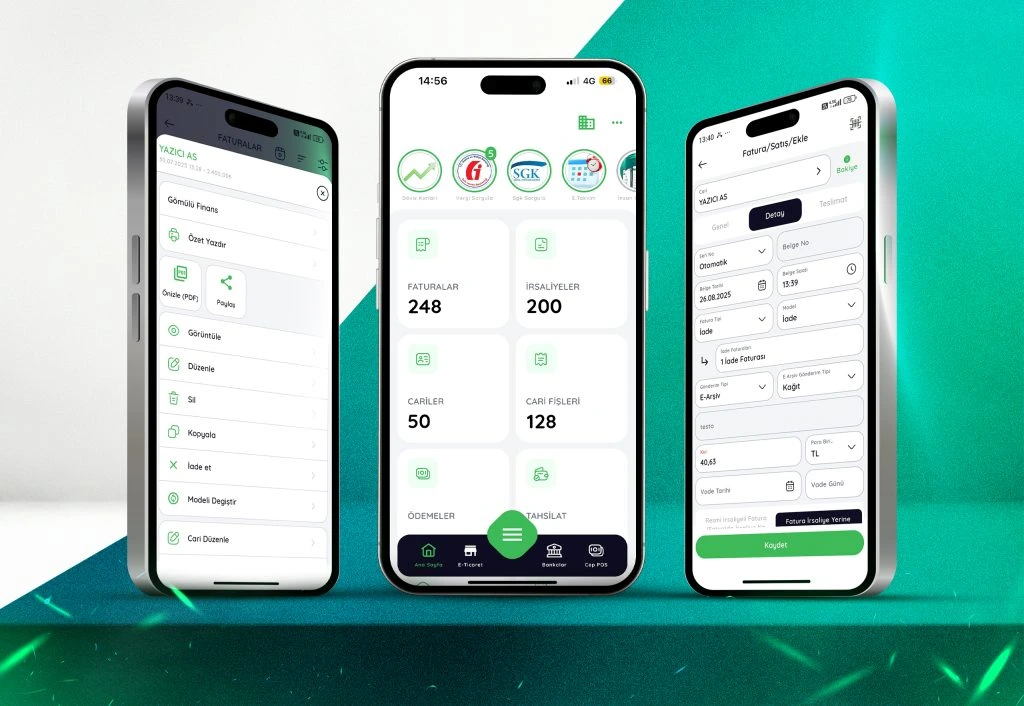
A short checklist
- Is the RETURN type selected?
- Have the original invoice number and date been added?
- Do the VAT and withholding details match the original sale exactly?
- For physical returns, has a return dispatch note been issued?
- Have the reversing entries and stock movements been posted correctly?
Example scenarios
Partial return in e-commerce: The customer returns part of the order; a partial credit note is issued referencing the original order and the products go back into stock. Incorrect price: If an invoice issued at the wrong price has already been posted, the records are corrected with a credit note plus a correct invoice.
A credit note is not just “sending something back” — it is the main tool for getting tax, accounting and stock back into balance. With Kivi these steps are handled on one screen with the fewest clicks.